There are a range of challenges around editing content in the WYSIWYG editor, particularly for clients who are unfamiliar with HTML code.
Below are a range of suggestions to improve the WYSIWYG editing experience:
-
“Insert Image” in the WYSIWYG could honor the ‘Media Files Upload Folder’ if set in Custom Module settings (for both uploaded images and browsed for images). Or, the source folder could be a separate setting.
-
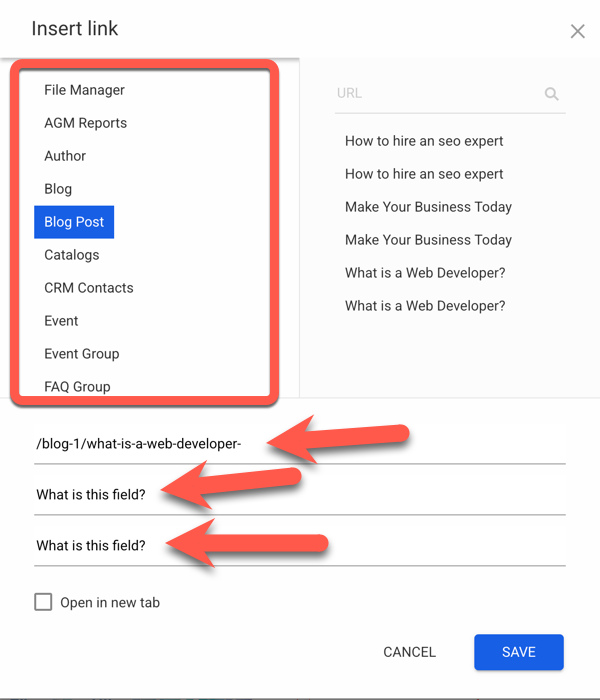
“Insert Link” in the WYSIWYG is overloaded with options and overwhelming. Could be simplified and cleaned up for easier use by:
- Hiding modules set with disabled detail layouts (since there is no point linking to them)
- Hiding modules that have no items (eg: unused system modules)
- Perhaps divide this list up into sections (eg: System Modules, Custom Modules, and with “File Manager” as a separate/defined button to clearly distinguish linking to files)
- Show field placeholders/labels at all times in the link editor form as it can be confusing what fields are for what data (link, text, title) once content is added to them.
[Perhaps these changes can be used in the ‘Menus’ link selector as well]
-
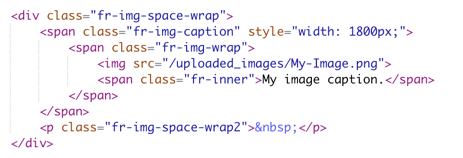
Adding an image caption via the WYSIWYG when selecting an image does not produce modern, semantic markup:
Can this be changed to use thefigureelement as per: <figure> HTML figure with optional caption element - HTML | MDN -
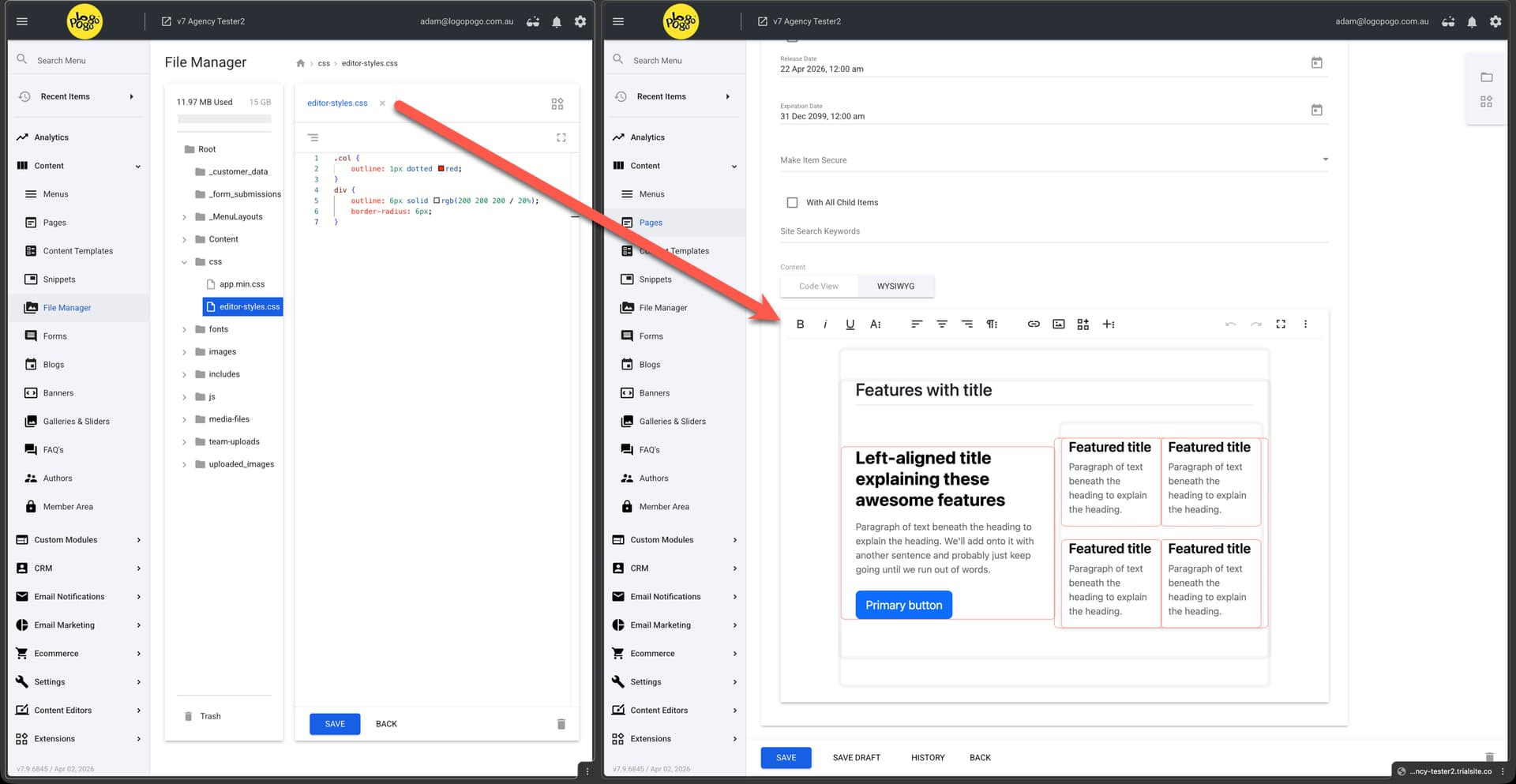
Could we have a global setting to define linked/external CSS files for rendering in the editor so we can more accurately represent content based on the site own styles and/or our own special editor styles. This will help visually show grid layouts and can be used to more clearly define elements to help admins with editing and placement and avoid breaking the markup due to incorrect cursor positioning when entering content.
The below screenshot shows a WYSIWYG editor with both Bootstrap CSS and a custom stylesheet loaded in:
-
Similar to above, one of the main causes with clients breaking the markup, or getting unexpected results, is the inability to place the cursor in the correct location. The ‘LineBreaker’ pugin for the editor may help with this:
https://froala.com/wysiwyg-editor/docs/plugins/line-breaker-plugin/ -
Support for Markdown could allow an additional safe and easy way of editing content for those familiar with it. It could also allow for cleaner AI compatibility if asking for generating content in markdown format, perhaps even reducing token/context usage:
https://froala.com/wysiwyg-editor/examples/markdown-support/ -
Custom styles as options in the editor toolbar (existing Backlog)
Add Custom CSS, Font Etc. in WYSIWYG -
HTML position indicator (existing Backlog)
Show Selected Tag In WYSIWYG Editor
Additionally, without having a full drag and drop editor, it would be helpful to have some basic definable elements that could be moved up and down, duplicated, or deleted via the UI. Like those in simple email marketing editors. This could be paired with ‘HTML Widgets’, which I’ve made a separate Backlog Request here (Backlog Request: HTML Widget Improvements ).
If anyone has their own or similar experiences with this or further ideas, please share.