I have no access to the DNS records for the site at the moment, but would like to verify the site with AHREFS. They have two options that are accessible to me: upload a file to the root folder (I did this, but the file wasn’t accessible) or add a code snippet with meta-name into the header. Is there a place in the header settings that I can safely add this?
The snippet looks like:
meta name=“ahrefs-site-verification” content=“ccccccccccccccccccccccccccccccccccccccccccccccccccccccc”
Hi @adamsson
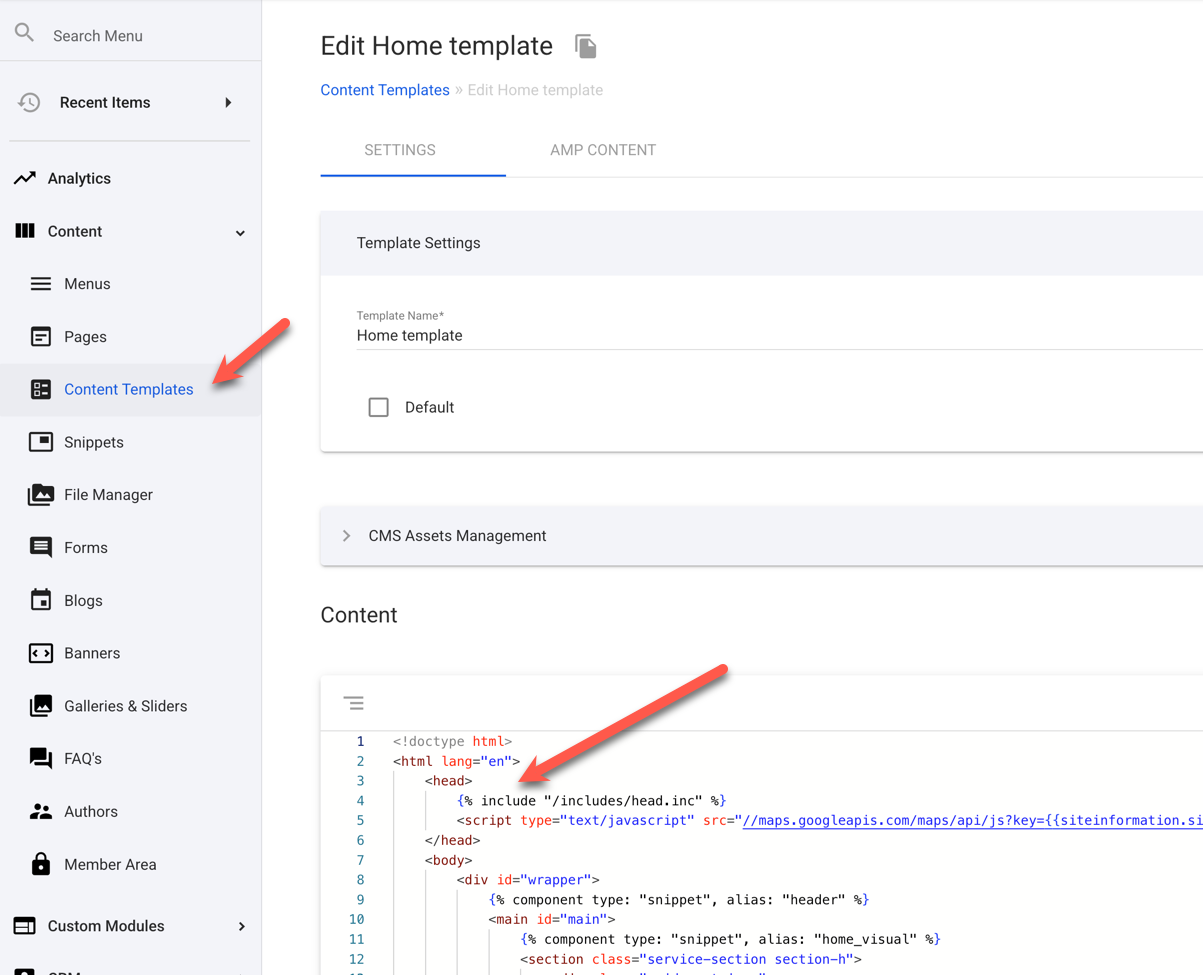
You should be able to paste the meta tag into the section via the Content Template.
There will either by on main default template or a separate one for your home page - which would be the one you’d want to edit.
Often sites are set up with a separate HEAD snippet or include file, which would apply the changes globally across many templates (as seen here with the {% include “/include/head.inc” %} tag).
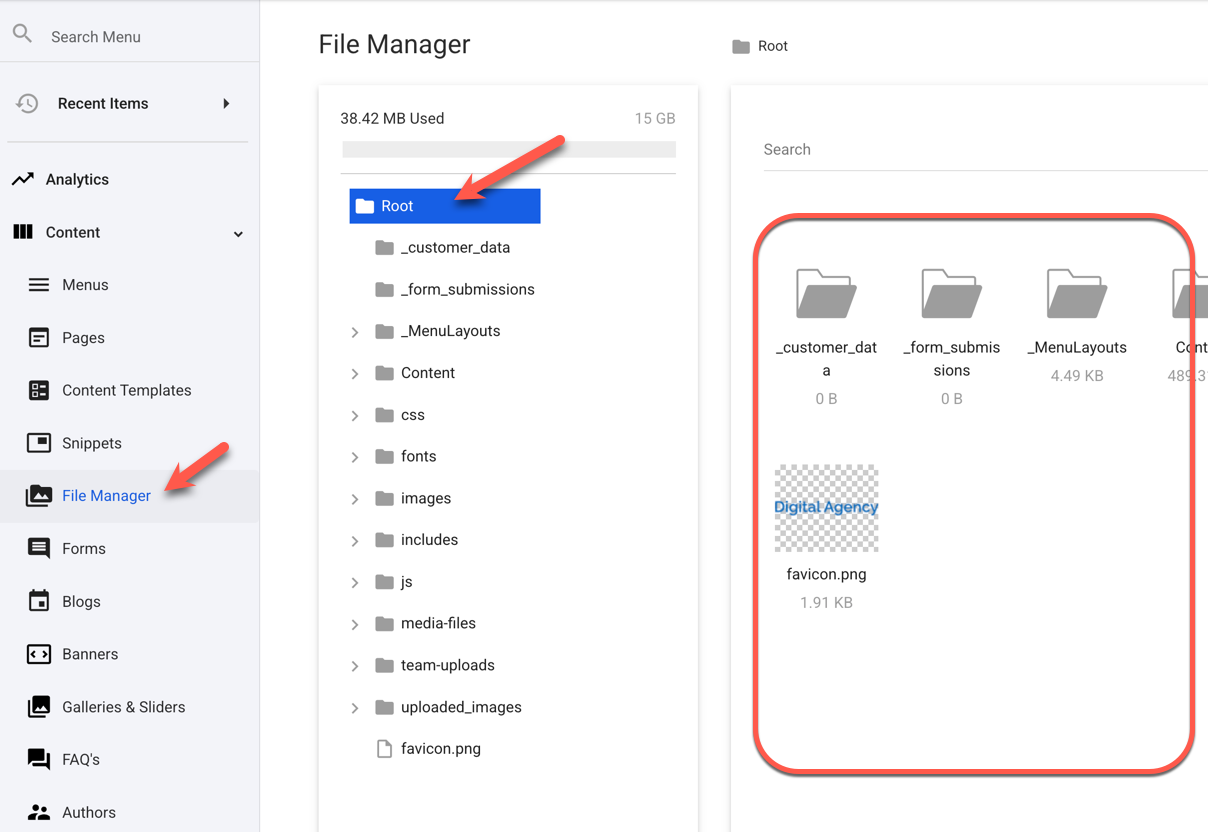
However, you should also be able to upload the file you mentioned to the root directory. Just be sure to do this via the File Manager, not in the Pages module:
Let us know if you’re still having issues with this.
I’m getting a 404 when I try to access the uploaded file (filename: https://domain.com/ahrefs_cccccccccccccccccc - no filename extension). Are there restrictions somewhere that I’m missing?
The upload file should be a HTML file, so try adding the .html extension to it so that the server knows how to serve that file.